
Free Chrome Extension — 500+ active users

Capture any page. Ask AI anything.

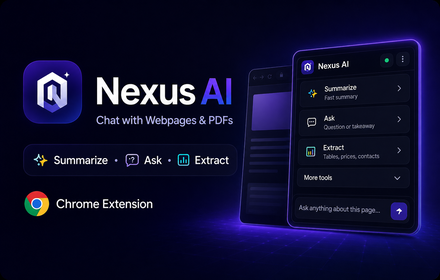
Nexus AI Chrome Extension captures content from LinkedIn, YouTube, Reddit, X and any website — then lets you summarize, analyze and organize it with GPT-4, Claude or Gemini. Never lose a research thread again.

Sarah Marcus Amelia David
+

Trusted by 500+ users

Works seamlessly on every platform:

Nexus AI — Full Demo Video
Powered by the best AI models:
GPT-4o
Claude 3.5
Gemini Pro

Save 5+ hours every week on research

Knowledge Hub

One Dashboard. All your context.

Organize, edit, and revisit your captured context from one clean dashboard. Know exactly what you've saved, where, and when - without switching tools.

Recent Captures

All Workspaces
Artificial Intelligence

Get answers faster with AI

Generate summaries, extract key info, and improve your understanding - all with a built-in AI assistant.

"Summarize this article, highlight the key findings, and give me 3 bullet points I can share with my team."
Deep Search

Find anything, instantly

Search your entire history of captured context and AI conversations. Never lose a thought again.

Full-Text Search

Search: "GPT-4 API pricing discussion"
Start Free — No Credit Card Get Chrome Extension
user user user
Trusted by 500+ users

Loved by professionals & agencies ❤️

Sarah Chen

Sarah Chen

AI Researcher · San Francisco

"I spend hours every week reading LinkedIn posts and research papers. With Nexus AI I just hit the shortcut and the extension captures everything. My summary is ready in 10 seconds. I honestly don't know how I worked before this."

Captured via LinkedIn
Marcus Weber

Marcus Weber

Product Manager · Berlin

"I manage three product teams and track competitor updates daily on Reddit and LinkedIn. Nexus AI captures everything and puts it in one workspace. I type a question and the AI pulls the answer from my saved context. It genuinely saves me 2-3 hours per day."

Captured via Reddit
Amelia Rodriguez

Amelia Rodriguez

Content Strategist · Madrid

"YouTube is my biggest research source. I open a video, capture the transcript with Nexus AI, and get a full summary with key quotes — without watching 40 minutes of content. My content production has literally doubled."

Captured via YouTube
David Kim

David Kim

Senior Developer · Seoul

"I was skeptical at first but now I use it every single day. I capture Stack Overflow threads, GitHub issues, and Reddit discussions about tech. Then I ask the AI to explain or compare solutions. It's replaced half my bookmarks folder."

Captured via Reddit
Jessica Lee

Jessica Lee

Growth Marketing Manager · Toronto

"Our team was drowning in competitor research scattered across different tools. I set up a Nexus AI workspace just for competitive intel. Now everyone captures LinkedIn posts, news articles, and Reddit feedback. It's the single source of truth for our strategy team."

Captured via LinkedIn
Tom Brighton

Tom Brighton

PhD Researcher · Oxford

"My supervisor suggested I try Nexus AI for literature reviews. I was doing my thesis and struggling with 80+ papers. Now I capture each abstract, have AI extract methodology and findings, and search across everything instantly. My thesis supervisor couldn't believe how fast I was working."

Captured via Web Articles

Chloe Dubois

Chloe Dubois

Senior UX Designer · Paris

"I browse Quora and Reddit threads about UX trends constantly. With Nexus AI I capture the whole discussion, ask the AI to summarize the top insights and pain points, and paste a brief into our Figma file. Design research used to take a day. Now it's 30 minutes."

Captured via Quora
Ben Carter

Ben Carter

Co-Founder, SaaS Startup · London

"When researching competitors and market fit, I'm on Reddit, Twitter, LinkedIn and niche forums simultaneously. Nexus AI grabs it all and I ask Claude to compare patterns. It's basically a junior research analyst that never sleeps."

Captured across platforms

Olivia Martinez

Olivia Martinez

Data Scientist · Barcelona

"I follow ML papers and AI news obsessively. Instead of keeping 15 tabs open, I capture the key paper sections with the extension and use GPT-4 to explain concepts in plain English. It's my unfair advantage for staying ahead in AI research."

Captured via LinkedIn + Research Papers

Ethan Wright

Ethan Wright

Freelance Tech Writer · Austin

"I write 3-4 articles a week and need to research fast. I grab YouTube video transcripts, Reddit discussions, and LinkedIn expert posts with one click each. AI writes my outline and I just fill in the gaps. Went from 6 hours per article to under 2."

Captured via YouTube
Sophia Nguyen

Sophia Nguyen

Legal Analyst · New York

"Legal research means reading thousands of words per day. I capture case summaries and regulatory updates with Nexus AI, then ask it to extract key rulings or compare them to prior cases. My turnaround time on research memos has dropped by 40%."

Captured via Legal Databases

Liam Gallagher

Liam Gallagher

Financial Advisor · Dublin

"Financial markets move fast. I capture earnings call summaries, analyst reports, and macroeconomic news into one workspace. Then I ask the AI to give me a risk summary before client meetings. My clients think I'm a genius. I just have better tools."

Captured via X (Twitter) + News Sites

Ava Chen

Ava Chen

Medical Resident · Singapore

"Between rounds and patient notes I have almost no study time. Nexus AI lets me capture clinical guidelines and journal abstracts in seconds. I ask Gemini to create a quick-reference card. It's genuinely helped me during tricky diagnostic cases."

Captured via Medical Journals

Noah Patel

Noah Patel

Independent Consultant · Mumbai

"I run workshops on digital transformation and need fresh examples weekly. Nexus AI helps me capture LinkedIn articles, case studies, and Quora discussions. The AI threads it into a coherent narrative I can use in presentations. My workshop ratings went from 4.1 to 4.8 stars."

Captured via LinkedIn & Quora

Isabella Rossi

Isabella Rossi

Social Media Manager · Milan

"Managing 5 client social accounts means monitoring trending topics on X, Reddit, and YouTube constantly. With Nexus AI I capture trending posts and threads, ask the AI for angle ideas, and draft 10 posts in under an hour. It's the tool I didn't know I desperately needed."
Captured via X (Twitter)

By the numbers

Nexus AI in action

500+

Active users worldwide

20k+

Contexts captured daily

4.9

Chrome Web Store rating

5h+

Saved per user per week

Your data stays yours

All context is encrypted end-to-end. We never read, sell or share your captured data. You can export or delete everything at any time from your dashboard.

Verified Chrome Extension

Published on the official Chrome Web Store. Reviewed and approved by Google. Thousands of installs, no malware, no hidden permissions beyond what's needed.

Stripe-secured payments

Billing is handled 100% by Stripe — the same payment processor trusted by Amazon, Google and Shopify. We never store your card details.

Pricing

Simple, transparent pricing

Start free. Upgrade when you need more power. No hidden fees, no lock-ins.

View full plan comparison

Free

$0 /mo

Perfect to get started

  • 15 AI requests / day
  • Chrome Extension
  • 7 days history
Get Started Free

Starter

$9 /mo

For regular users

  • 200 requests / day
  • 30 days history
  • File attachments
Get Starter
Most Popular

Pro

$19 /mo

For power users

  • 800 requests / day
  • 90 days history
  • GPT-4, Claude, Gemini
  • Priority support
Get Pro

Business

$49 /mo

For teams & agencies

  • 3,000 requests / day
  • Unlimited history
  • Priority support
  • API access
Get Business
No credit card required Cancel anytime Stripe-secured billing Chrome Extension included on all plans

FAQ

Everything you need to know

Can't find the answer? Email our team →

01 What exactly is Nexus AI?
Nexus AI is a Chrome Extension + web dashboard that lets you capture content from any website — including LinkedIn posts, YouTube videos, Reddit threads, Quora answers, Facebook groups and regular articles — and analyze it using GPT-4, Claude or Gemini AI. Everything is saved to your personal knowledge base, searchable at any time.
02 How does the Chrome Extension work?
Once installed from the Chrome Web Store, the extension adds a small icon to your browser toolbar. On any page you want to capture, click the icon or use the keyboard shortcut (Ctrl+Space on Windows / Cmd+Space on Mac). The extension captures up to 20,000 characters of page content, sends it to your dashboard, and makes it ready for AI analysis — all in under 3 seconds.
03 Which websites and platforms does it support?
Nexus AI works on virtually any website. It has been specifically tested and optimized for LinkedIn (posts, articles, profiles), YouTube (video pages and transcripts), Reddit (threads and comments), X / Twitter, Quora, Facebook, news websites, documentation sites, and general articles. It is also CSP-compliant, meaning it works on strict security sites like Gmail and Notion.
04 Is Nexus AI free to use?
Yes — the Free plan includes 15 AI requests per month and 7 days of history. No credit card required to get started. Paid plans (Starter $9/mo, Pro $19/mo, Business $49/mo) unlock more requests, longer history, access to all AI models, and priority support.
05 Which AI models can I use?
Nexus AI integrates with OpenAI GPT-4, Anthropic Claude, and Google Gemini. The Free and Starter plans use GPT-3.5 / Gemini Flash. The Pro plan unlocks GPT-4, Claude 3 Sonnet and Gemini Pro. You can switch between models on any conversation.
06 What are Project Workspaces?
Workspaces are folders for your captured context and AI conversations. You might create a workspace called "Competitor Research", another for "Product Ideas", and another for a specific client project. All captures from the extension can be sent to any workspace, keeping your knowledge base clean and organized.
07 How is my data protected?
All data is encrypted in transit (TLS) and at rest. We never sell or share your personal data or captured content with third parties. Payments are processed by Stripe — we never store card details. You can permanently delete your account and all associated data at any time from the dashboard settings.
08 Can I search my entire history?
Yes. The dashboard includes a full-text search that scans across all your captured content, AI conversation messages, and workspace notes. You can filter by date, workspace, or content type. History retention is 7 days (Free), 30 days (Starter), 90 days (Pro) or unlimited (Business).
09 Does it work on LinkedIn and YouTube specifically?
Yes, both are fully supported. On LinkedIn, you can capture posts, articles, job listings, and profile summaries. On YouTube, the extension captures the page content and available video transcript so you can get an AI summary without watching the full video.
10 Can I cancel my subscription anytime?
Absolutely. Cancel anytime from Dashboard → Settings → Billing with one click. No phone calls, no cancellation fees. You keep access until the end of your current billing period, then you drop to the Free plan automatically — your data is never deleted.
Free to install · No credit card required

Stop losing your best research.
Start building your knowledge base.

Join 500+ researchers, marketers and developers who save 5+ hours every week with Nexus AI.

Free forever plan Cancel anytime Works on LinkedIn, YouTube, Reddit & more GPT-4 · Claude · Gemini